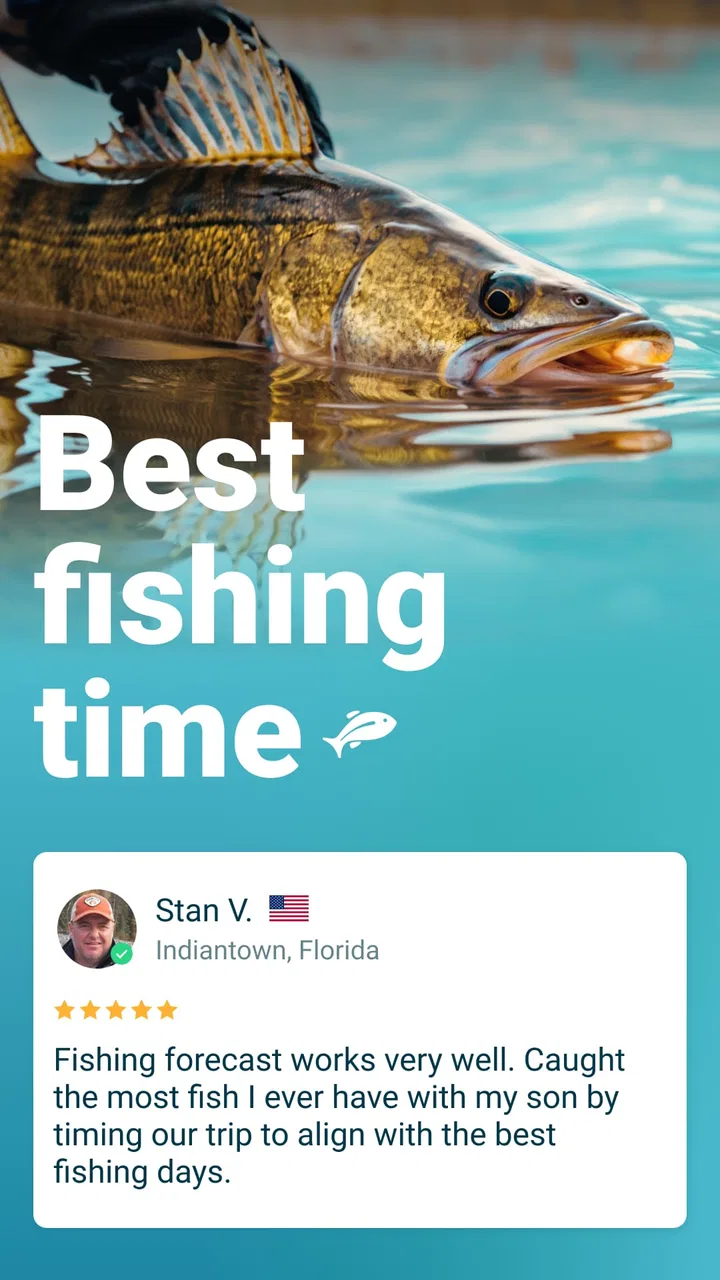
Fishbox - Smart Fishing App
- 4.6
- Rating
- 1.00M
- Installs
- Free
- Price

 Analysis by App-foxy
I approached Fishbox as a first-time angler would: looking for something that could turn a vague “where should I fish today?” into a more practical plan. This free sports app from MEMS Group, Inc. combines fishing maps, spot information, weather details, lure and bait guidance, fishing guides, and a pro assistant in one place. That combination makes it more useful than a simple map pin, although it also means there is more to learn before the app feels completely natural.
My first impression is that Fishbox is aimed at people who want help making decisions before and during a trip, rather than only recording catches afterward. It can appeal to a beginner who does not yet know how to read conditions, but experienced anglers may also appreciate having several planning tools together. The app has reached over a million installs and holds a 4.4 average from around 45 thousand ratings, which suggests that its overall approach works for a sizeable audience. Still, those figures should not replace your own expectations: fishing conditions remain local and unpredictable, and no app can guarantee a bite.
Getting from installation to a useful fishing plan
I’d start by treating the first session as a short orientation, not a full fishing expedition: pick water you already know, then see how Fishbox connects its map, conditions, and tackle guidance. That familiar baseline makes it easier to judge whether a suggestion is useful without juggling too many unknowns. Once that workflow feels clear, the next section looks at what the app offers when you open it.
You May Also Like

 Blood Strike: 2.5 Anniversary
Blood Strike’s Loadouts Turn Every Drop Into a Tactical Gamble
A close look at Blood Strike’s custom loadouts: how fast access to signature weapons reshapes its battle royale rhythm, rewards preparation, and narrows the gap between fights.

 Pandora - Music & Podcasts
Pandora’s Music Is Easy to Start, but Harder to Recover
Pandora’s strength is its low-effort path from a seed to a station. Its weak spot is how much confidence it asks you to place in connection, setup, and quiet recovery.

 8 Ball Pool
 Is Built on Rivalries, Rematches, and Routine
A close look at the rivalries, rematches, shared routines, and unanswered safety questions that turn a quick pool match into a persistent mobile community.

 Samsung Music
’s Quiet Strength Is Playing What You Already Own
Its reach comes less from spectacle than from dependable access to a personal library. That simplicity is both the app’s strongest retention engine and its ceiling.

 AccuWeather: Weather Radar
AccuWeather Review: A Quick, Clear Forecast for Everyday Decisions
For everyday plans, the best forecast is the one you can understand quickly. AccuWeather makes rain timing, radar, and local conditions easy to act on, with a few trade-offs.

 Hill Climb Racing
Why Hill Climb Racing Still Turns Crashes Into One More Run
A tiny car, a bumpy hill and one more upgrade: Hill Climb Racing keeps resurfacing because its simple chaos makes every near-miss feel personal.
More From Our News Desk



What to expect when you open Fishbox
The app presents itself as a fishing companion rather than a single-purpose forecast tool. The important distinction is that weather is only one part of the experience. You are also encouraged to think about location, possible spots, equipment choices, and the reasoning behind a fishing plan. That broader approach is valuable when you are unsure which information matters most.
For a first-time user, I would not try to explore every section immediately. Start with one simple question: am I planning a trip, choosing between nearby spots, or trying to decide what bait or lure makes sense? Each goal leads to a different part of Fishbox. Beginning with a clear purpose prevents the app from feeling like a large collection of fishing terms and options.
The fishing maps are the natural starting point. Instead of opening a generic map application and searching separately for water, access points, and conditions, you can use Fishbox as the place where those decisions begin. The advantage is convenience: the map gives context to the rest of the information. The limitation is equally important: map-based guidance should support your judgment, not replace checking local access rules, safety conditions, or the actual state of the water.
The weather section is most helpful when you treat it as a planning aid. I would look at it before leaving, then compare it with what I can see outside. Wind, cloud cover, temperature changes, and changing water conditions can affect how comfortable and productive a trip feels, but a favorable-looking forecast is not a promise. A smart workflow is to use Fishbox to narrow your options and then make the final call with common sense.
Setting up your first session without overcomplicating it
After installing the app, I recommend giving yourself a few quiet minutes rather than opening it for the first time while already standing at the shoreline. The current version is 2.17.0, and it supports devices running Android 6.0 or later. Once it is open, explore the map and the main fishing guidance areas before you need them. That small preparation makes the first real outing less distracting.
Choose a familiar area for your first test. A place you already know is better than an unknown destination because you can judge the app’s suggestions against your own experience. If Fishbox highlights a spot or recommends a type of approach, you will have enough local knowledge to decide whether the suggestion looks sensible. This is also the quickest way to understand what the app adds beyond your normal routine.
Do not assume that the most detailed-looking recommendation is automatically the best one. I found it more useful to compare several clues: the location, the current weather picture, the type of fishing I intend to do, and the lure or bait guidance. When those elements point in the same direction, the plan feels more convincing. When they disagree, that disagreement is useful too; it tells me to keep the trip flexible.
Beginners often wonder whether they need specialist equipment to benefit from Fishbox. I do not think they do. The app can help organize decisions, but it does not require you to turn a casual outing into a technical project. Start with the tackle you already understand, use the guidance as a suggestion, and only change one variable at a time. If you alter your location, bait, lure, and timing all at once, you will not know which choice made the difference.
The app is free to download, with in-app purchases ranging from $5.99 to $79.99 per item. That makes it sensible to explore the free experience first and decide whether the additional tools fit the way you fish. I would not pay simply because a feature sounds advanced. The better question is whether it solves a problem you actually have, such as planning unfamiliar water or making sense of conditions that you normally ignore.
Your first meaningful action: plan one realistic outing
A useful first session can be very simple. Pick a nearby body of water, inspect the available fishing information, check the weather, and choose one primary approach plus one backup. For example, you might decide to begin with the lure or bait guidance that best matches the conditions, then switch only if the first approach produces no useful feedback after a reasonable period.
This is where Fishbox feels more practical than a collection of disconnected websites. The map helps with place, the weather helps with timing and comfort, and the lure or bait guidance helps turn general information into an equipment choice. The pro assistant and guides can then fill in the reasoning when you are unsure why one option might be preferable to another.
My advice is to save a short mental checklist before leaving: selected area, expected conditions, first lure or bait, backup choice, and a time to reassess. The app can provide information, but the fishing trip still benefits from a clear decision process. Without that process, it is easy to keep browsing instead of actually casting.
Imagine a realistic weekend morning. You have a limited window before lunch and do not want to drive around randomly. I would open Fishbox, compare a couple of nearby options, examine the weather information, and select the location that offers the most comfortable and practical plan rather than chasing an apparently perfect prediction. At the water, I would begin with the chosen setup and use the app as a reference instead of staring at the screen continuously. That balance is one of the best ways to get value from it.
For a beginner, the first success may not be catching a fish. It may be arriving with a reasoned plan, understanding why you chose a spot, and knowing what to try next. That is a healthier expectation and makes the app useful even on a slow day. Fishing involves variables that no digital assistant can fully control, so learning to make better decisions is a more reliable measure than immediate results.
Where new users may become confused
The biggest source of confusion is the difference between information and certainty. Fishbox can point you toward promising conditions, locations, and equipment choices, but those suggestions still need to be interpreted. A recommendation is not a guarantee that a particular species will be active at the exact moment you arrive. I would treat every prediction as a starting point and keep a backup plan ready.
Another possible stumbling block is trying to use every tool at once. Maps, weather, guides, lure information, bait suggestions, and the pro assistant all sound helpful, but a new user can easily collect more advice than they can apply. I get better results by choosing one question at a time. First decide where to go, then consider conditions, then select the equipment. This sequence keeps the app from turning preparation into information overload.
It is also easy to confuse a recommended fishing spot with guaranteed access. A point displayed on a map may still require you to check whether the shoreline is public, whether parking is allowed, and whether local regulations apply. Fishbox can help you identify possibilities, but it should not be your only source for legal or safety decisions. That is especially important when exploring unfamiliar areas or fishing from a boat.
Weather information deserves similar caution. Forecasts can change, and conditions at the water may differ from what you expected. I would check the app shortly before leaving and again when making the final decision, but I would also pay attention to visible changes, wind strength, water movement, and personal safety. If conditions feel unsafe, the correct choice is to postpone the trip, regardless of what the screen suggests.
Some users may also wonder whether Fishbox replaces a local fishing community or a specialist guide. In my view, it does not completely replace either. A local angler can provide recent, highly specific observations that an app may not capture, while a specialist guide can adapt advice to your exact skill level and equipment. Fishbox is strongest as a preparation and decision-support tool. If you already have trusted local knowledge, use the app to organize it rather than treating it as a competitor.
How it compares with familiar alternatives
The usual alternative is a mixture of a general map app, a separate weather service, online fishing articles, and personal notes. That approach can work, especially for someone who already knows the water well. Its weakness is the time spent moving between sources and translating broad weather information into a fishing decision. Fishbox’s advantage is bringing those related questions closer together.
A general weather app may offer a cleaner forecast experience, and a dedicated navigation tool may be better for route planning. Likewise, a local forum or fishing club may provide fresher reports from people who were recently on the water. Fishbox is not automatically superior in each individual category. Its value comes from the connection between the categories: location, conditions, and tackle guidance can be considered as one planning process.
That makes it particularly suitable for occasional anglers, beginners, and people visiting unfamiliar waters. It is less compelling for someone who only needs a basic forecast, already knows exactly where to fish, or prefers to build every plan from personal records and local conversations. In those cases, a simpler combination of familiar tools may feel faster and less distracting.
The trade-off is that convenience can encourage passive decision-making. If I simply follow whatever the app presents first, I may overlook local knowledge or changing conditions. If I use it to compare options and explain my own choices, it becomes much more useful. The best experience comes from combining Fishbox’s organization with the habits of a careful angler.
Practical habits that make the app more useful
One helpful habit is to create a “one change at a time” rule for your trip. Begin with the location and approach you selected, then adjust only the lure or bait if the conditions remain similar. If you change location as well, note that separately. This simple discipline turns an outing into a learning process instead of a series of random guesses.
A second useful habit is to use the guides and pro assistant when you need an explanation, not merely another recommendation. If you are unsure why a particular lure or bait fits the conditions, look for the reasoning before making a choice. Understanding the logic helps you transfer the lesson to future trips, including situations where the app’s suggestion does not perfectly match what you see.
A third insight is to plan for comfort as well as catch potential. Weather information can help you decide whether a long session is realistic, whether you need a shorter nearby outing, or whether postponing is wiser. Beginners sometimes focus entirely on fish activity and forget that cold, heat, wind, or rain can make a trip unpleasant or unsafe. A good fishing plan includes the person holding the rod.
I would also avoid treating the paid options as a requirement for learning the basics. Explore the free app, identify which parts you genuinely use, and only then consider an in-app purchase. The price range is wide, so the right choice depends on how often you fish and whether the extra assistance saves meaningful time. Someone who goes out occasionally may prefer staying with the free tools, while a frequent angler may see more value in deeper guidance.
Who should use it, and who should skip it?
Fishbox is a good fit if you are new to fishing, often visit unfamiliar locations, or want one place to combine maps, weather, spot ideas, and tackle guidance. It is also useful for an angler who has experience on the water but wants a quicker way to structure a trip before leaving home. The Everyone content rating makes it approachable for a broad audience, although responsible adult judgment is still important around water and equipment.
I would be more cautious recommending it to someone who wants a pure, distraction-free forecast, a specialized navigation instrument, or a highly local social reporting network. Those needs may be served better by dedicated alternatives. It may also frustrate anglers who expect exact catch predictions or who dislike making decisions from recommendations. Fishbox helps narrow the field; it does not remove uncertainty from fishing.
The developer, MEMS Group, Inc., has built an app with a clear everyday purpose: make fishing preparation less scattered. Its strongest quality is not any single screen, but the way several planning questions can be considered together. Its main weakness is the same breadth, because first-time users may need to spend a little time learning how the pieces relate.
My recommendation after using the full workflow
I would recommend Fishbox to a friend who wants practical help before a fishing trip but does not want to assemble several separate tools. I would tell that friend to begin with a familiar location, use the map and weather information to form one modest plan, and treat the lure, bait, guides, and assistant as support for a decision rather than instructions that must be followed.
The app works best when you keep your expectations realistic. It can make preparation clearer, reduce aimless searching, and help a beginner understand which factors deserve attention. It cannot replace local rules, personal safety judgment, recent observations from people on the water, or the patience that fishing always requires.
As a free sports app with optional purchases, Fishbox is easy to try without committing to a paid tool immediately. I would give it a fair test across more than one outing, because a single slow fishing day says little about the quality of the planning process. If you enjoy having guidance gathered around the map and the conditions, it can become a useful part of your routine. If you only need a basic forecast or already have a trusted local method, its wider feature set may be more than you need.
My final view is positive but measured: Fishbox is most valuable when it turns uncertainty into a simple next action. Choose a realistic spot, check the conditions, start with one sensible setup, and reassess calmly. For a first-time user, that path is reassuring and concrete, and it shows the app’s real strength without pretending that technology can do the fishing for you.
FAQs for Fishbox - Smart Fishing App
01What features does Fishbox offer for anglers?
Fishbox - Smart Fishing App provides a comprehensive set of features designed for both novice and seasoned anglers. It includes real-time weather updates, fishing forecasts, tide charts, and a fishing logbook. Additionally, it offers a community platform where users can share their catches and tips. The app also includes a species guide for identifying fish.
02Is Fishbox suitable for beginners in fishing?
Absolutely, Fishbox is designed to cater to all levels of fishing enthusiasts. For beginners, it offers educational resources such as tutorials and tips on fishing techniques. The user-friendly interface ensures easy navigation, allowing newcomers to quickly learn how to utilize the app’s features effectively.
03How accurate is the fishing forecast in Fishbox?
Fishbox utilizes advanced algorithms and real-time data to provide accurate fishing forecasts. It analyzes weather patterns, tide cycles, and lunar phases to predict optimal fishing times. While no forecast can guarantee success, users often find Fishbox’s predictions to be reliable and helpful in planning their fishing trips.
04Can Fishbox be used offline?
While Fishbox offers a range of offline features, such as the fishing logbook and species guide, features like real-time weather updates and community interactions require an internet connection. The app is designed to ensure you have essential tools even without connectivity, making it versatile for remote fishing locations.
05Is Fishbox available for both Android and iOS devices?
Yes, Fishbox is available for download on both Android and iOS platforms. Users can find it on the Google Play Store and the Apple App Store. The app is optimized for various devices, ensuring a smooth experience regardless of the operating system.
Pros
- User-friendly interface for easy navigation.
- Accurate weather updates for optimal fishing.
- Comprehensive fish species database.
- Personalized fishing spot recommendations.
- Offline mode for remote locations.
Cons
- Limited features in the free version.
- Requires GPS for full functionality.
- Occasional app crashes reported.
- Data-heavy; can drain battery quickly.
- No social media sharing options.

Fishbox - Smart Fishing App
Gallery